Intro
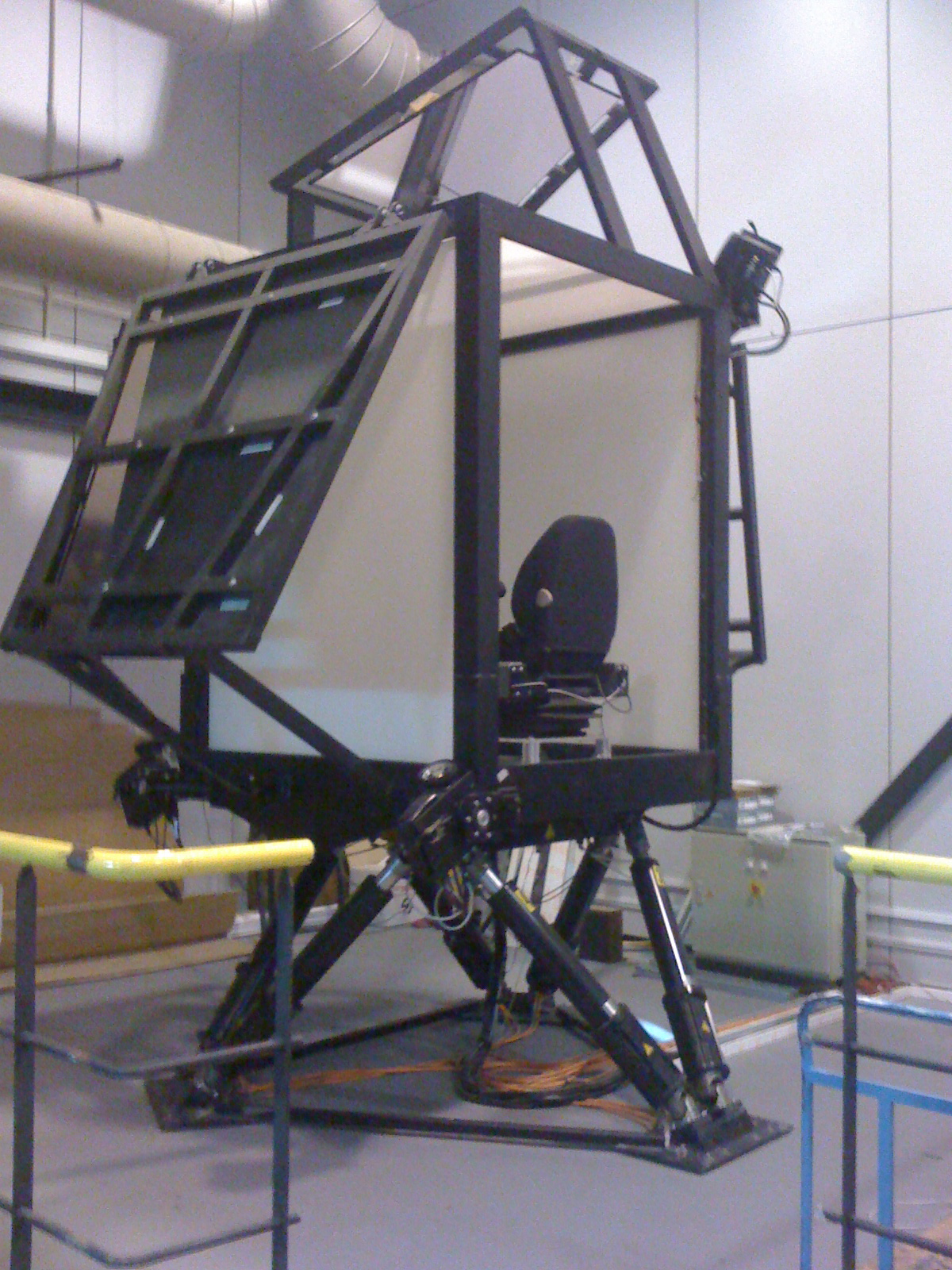
- Four hi-performance active-stereoscopic ProjectionDesign projectors.
- A chair with a little dashboard with two joysticks and some buttons.
As you can see in the picture, the projectors are mounted on-board and have a wide-angle lens for retroprojection on the screens through mirrors. Each one has two DVI inputs (left/right field) and a genlock signal output.
A 6-DOF mobile platform:
- It features X, Y, Z, heave, surge, and sway (rotation around the three axis).
- It’s electro-hydraulic and its linear actuators are driven by that gray box at the bottom.
- The box is connected to a dedicated control PC via fiber optic communication.
- It’s capable of lifting up to 1000 Kg (I’m not really sure about this)
- It works with 380 V (industrial range).
- The control PC is connected via Ethernet to the application machine and runs a propietary manufacturer control program.
- It receives frames over UDP with the instant position (the 6 DOF) at a rate of 60Hz approx.
A cluster composed of 5 machines:
- 4 Quad-Core with nVidia Quadro. Each one of them renders a wall of the C.A.V.E (both left and right fields using independent DVI cables connected to both heads of the Quadros).
- The cards are synchronized using nVidia Quadro G-Sync and an IR emitter is located on-board the C.A.V.E and connected to the master projector via GenLock for syncing the 3D glasses up.
- The machines are running Windows XP x64.
- 1 Master machine with a mid-range graphics card and a bit more underpowered.
- The 5 machines are interconnected via a Gigabit Ethernet hub.
Amazing, huh?.
Just do it
I found myself with an equipment worth tens of thousands of euros and little time to leverage its full potential, and of course I was pretty much on my own.
I found Rollercoaster 2000 by PlusPlus, which is basically a very basic rollercoaster simulator. It takes a plain-text file containing the description of the track as Bezier control points and plays a 3D animation of the coaster in an OpenGL window. Graphics are VERY basic but it is fully open-sourced, so that’s just what I needed.
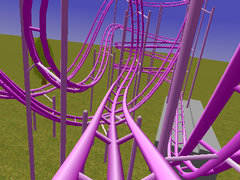
Of course this app wasn’t ready for our CAVE & platform off the shelf and here it comes the fun part:
We were using VRJuggler as a middleware for rendering in the CAVE (by Carolina Cruz-Neira, the inventor of the CAVE herself!).
This middleware is a convenient way to deploy graphics applications across a wide range of VR systems and configurations.
It takes care of intra-cluster communications, cameras orientation and frustum settings, I/O devices management ……
Making things work
Don’t get me wrong, the RC2K app basically works, it’s correct in math terms and it’s free. You can’t complain under these conditions and I’m grateful to its author for it. But the source is not very well commented out and not very well structured (lots of global vars, almost no use of structs…). Besides a lot of comments and symbols were written in French, which I don’t speak so I had to figure out a lot of things but it was pretty straightforward.
The first step was to encapsulate the app into a C++ class derived from some VRJuggler stuff.
Then I discovered that the physics (dynamic) loop was tightly coupled to the rendering loop. In fact they were the same!. As an immediate result the coaster physics were not very stable.
The physics thread
The solution was to spawn a thread in charge of physics. I isolated the variables involved in physics calculation and the thread just perform a simulation step at a constant rate. I defined a double buffer with the dynamic state protected with a mutex.
Master/Slaves model
In order to fit the architecture of our cluster I defined the master machine as the simulation controller. It only calculates the next physics step, and draws a view in an OpenGL window for the operator’s delight 😀
For each frame, VRJuggler takes the front physics buffer and broadcasts it to the slaves which are the 4 other machines in charge of rendering the C.A.V.E walls.
The slave machines basically get the data and draw its corresponding view (both left and right stereoscopic fields).
An XML config file allows VRJuggler to apply different camera configurations on a per-machine basis (based on the machine host name).
So the .EXE and .XML files are the same for all the machines and VRJuggler takes care of the rest (windows setup, stereo camera calculations, …).
It may look simple, however nobody knows how much pain did I pass through to get that working :-p
For execution I had set up a shared folder in the master machine with read access for all the slaves. I tried to launch them all via RPC but after hours of research I gave up and ended up using some simple TCP-based remote launcher a co-worker made.
Feeling accelerated?
The platform was for sure the most exciting part. Here’s how I did it.
The idea with mobile platforms is to simulate the accelerations and decelerations by tilting the platform. This changes our center of gravity and tricks your inner ear into thinking that you’re on the go.
The best way of dealing with these platforms is the Classical Washout filter, mostly used in flight simulators. To put it in simple words it’s a PID that transforms aircraft accelerations into motion cues that can be directly fed to the platform. It also does tilt coordination. Its objective is to orient the gravity vector so the rider feels a sustained acceleration while the visual display remains the same.
We had this filter and the library sending packets to the platform implemented in old Borland C++ which I had to port to Visual Studio. Once the port was done I had to adjust the filters thresholds that were stored in plain text files using a software “Platform simulator” and then fine-tune them in the real thing to match my taste.
The filter takes the angular velocity and the specific forces for the coaster train. For the angular velocities someone pointed me to the Darboux vector.
Now that all the explanations are done, let’s watch it in action!
Result
Conclusions
As you can see in the video the platform doesn’t rock you so bad (I wish it did :-D). I had to further adjust the Washout thresholds to make it a tougher ride.
It would also have been cool to simulate the track shaking and do better graphics (I didn’t rewrite the OpenGL part except for a few details, so that’s pure RC2K graphics).
It took me 1 and a half weeks.
Of course, the platform has mechanical limits and it can’t play a 360º loop, cobra rolls or corkscrews but it does its best.
I wish I had implemented a run counter since it quickly become one of our best valued demos and a mandatory one for visitors. I had spent hours running the demo for large groups of visitors from other universities and others.
Even the rector of the university ‘s wife had a ride at a special event the last year !! Amazing
Special thanks
Props to Ignacio Garcia for his advice and to M.A. Gamón for his support on the Washout filter.

